– manzoor
-
- Virtual System
- What are Vagrant and VirtualBox and How Do I Use Them?
By Tania Rascia
I was starting to get worried that I would not be able to use my phone (that I’ve barely had for 3 and a half year) much longer. It has been my goal to use the smart phone for 5 years. So far, I have been able to use them for about 4 and a half in the past.
The good news – the device is just fine and the latest OS, v11.3, is working smoothly (so far).
So, the bad news is not so much about the device (i.e., hardware) but the content I’ve piled on it. More specifically – my 200K+ pix.
– manzoor
– manzoor
Steps I have taken so far.
To troubleshoot:
To fix:
– manzoor
– manzoor
I have been paying more and more attention to both side of this “Cryptocurrency” – the technology (i.e., Blockchain) and the market (i.e., bitcoin).
But the market / bitcoin also has 2 sides – it’s application and the “market”.
Irrespective of all the various sides, I do feel the time has come to accept that this is something that we will be hearing more and more of and it will be something that we will use to do certain things.
Some examples of current goods / services I could pay for in Bitcoin if I wanted to.
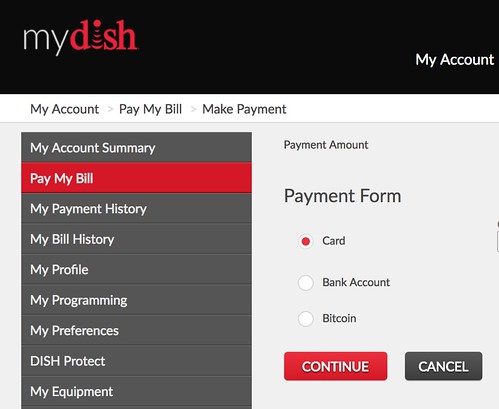
– manzoor
Yesterday I got an email from a friend, who I don’t usually get emails from, saying that he shared some “Google Docs” with me. Not surprisingly, many many people seem to have gotten the same, or at least similar, email.
A couple of things stood out for me:
By default I am fairly skeptical about any email that wants me to “do something”. We hardly use email at work, most of my ex-coworkers stay in touch via group emails. Needless to say, I was way to suspicious to actually click on the link or whatever it was that I was supposed to have clicked on and so far I have only gotten the email from that one friend of mine. Looks like most of my friends also did the right thing.
So, I don’t think I was going to write about this as it didn’t really seem like a significant issue. Just yet another attempt to get access to my online info. But this morning as I was driving to work and listening to On Point on the radio it seemed that they were doing a whole show on this. Which seemed a bit much to me. It was not that they were talking about security or privacy online but just the issue from yesterday. One of the point that really bothered me was when the question was raised that we should be more guarded about our activities online. To me that seems such an obvious thing.
– manzoor
– manzoor
Add “kitchen test”
– manzoor
OK, I finally got my Airpods and have been using them for over a week now.
I am still not happy that I had to try so hard to get them. But I am more disappointed that they don’t work nearly as well as Apple had promoted.
Let me elaborate.
3. They Airpods do not always get paired automatically to my iPhone when I put them “on”. I have to Pair them manually probably 30% of the time. Maybe less, but it definitely feels like I am having to do it way too more frequently than I ought to be.
2. When I have the Airpods paired to my iPhone and am listening to Music from my iPhone or on a Call (yes, I do make / receive phone calls on my iPhone) and am walking around without my iPhone on me but my wearing Apple Watch – I will get disconnected 100% of the time if I walk far enough from my iPhone but am still in WiFi range. It seems to matter not if I initiate the music / phone call from my iPhone or Apple Watch. But I need to try this a bit more. Most of my use has been playing music / initiating the Phone call from my iPhone.
1. This was the primary feature in my mind why I spent so much (time / energy / money) in getting the Airpods in the first place – to be able to seamlessly switch between my Mac(s) (Laptop / Mac Mini / iMac) and my iPhone / Apple Watch. This fails 100% of the time.
OK, time for some positives.
And some neither positive or negative comments.
– manzoor
My Equipments:
 Manzoor's Thoughts